
How to: Photo Etching with Fusion360 Sheet Metal

Most people assume Fusion360 can't do Photo etch artwork, but it can! The key to getting it to work is to understand a fundamental sheet metal manufacturing concept: the K-Factor. If you've been designing for etching, you will almost certainly not have heard of it. That's because in photo etching, we generally use rule of thumb Bend Allowances such as allowing 1.5x the material thickness for a 90º bend. This is of course fine if you just want to draw it all out in 2D, but what if you want to do a 3D mock-up from your artwork, or even design in 3D and make the artwork later? That's where the K-Factor comes in.
Applying a little logic, it is quite easy to see that if you bend a piece of sheet metal, the inside bend radius will be smaller than the outside one. A common etching assumption is that the inside bend radius circumference is equal to the bend allowance. That is to say, if you had a 1mm sheet and allowed 1.5mm bend allowance, your inside radius would therefore be 0.95mm for a 90º bend. What you have done here, without knowing it, is assume a K-Factor of 0.
So what then is the K-Factor? It is a factor that tells you where the neutral axis through the sheet is. 0 is the inside face, 1 is the outside face and 0.5 is slap bang down the centre line. We use this Factor because in practice, the neutral axis is not as we assumed above, on the inside face. It is somewhere in the middle, so that when bending a sheet, the outside is stretched whilst the inside is compressed somewhat. Finding the exact K-Factor is a job for trial and error and accurate measuring, and generally not needed. As long as we have a ball park we can make reasonable estimates that will give us results within a reasonable tolerance for the parts we are making.
I've always found that the 1.5x material thickness rule of thumb for etching works out well enough and has enabled me to design models that have predictable construction behaviour. The challenge now then, is to transfer that to Fusion360 in order to design our model. This PDF shows the calculations to use and gives K-Factors for common etch sheet thicknesses.
A neat side effect of designing this way, is that you can specify the inside bend radius. For normal etching where corners are normally made square, you can use Fusion's minimum of 0.01, or personally I prefer to use 0.05 as it makes the sheet dimensions a little neater.
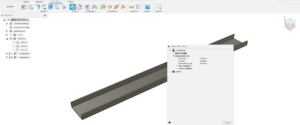
So lets quickly run through making an etched part using sheet metal tools in Fusion360:
